Product demo
Re-imagining Email Management for Support Teams
Support teams deal with a huge number of emails every day, but most inboxes are built just to read messages, not to actually resolve issues.
This project was about rethinking email as work - helping agents quickly see what needs attention, understand context instantly, and respond faster without feeling overwhelmed.
Support teams deal with a huge number of emails every day, but most inboxes are built just to read messages, not to actually resolve issues.
This project was about rethinking email as work - helping agents quickly see what needs attention, understand context instantly, and respond faster without feeling overwhelmed.
Skills
Skills
UX Research, Interaction Design, UI Design
Timeline
Timeline
~ 1 week
My role
My role
Lead Product Designer


THE PROBLEM
Support teams in banks and enterprises rely heavily on emails to resolve customer issues, but traditional inboxes are optimized for reading, not resolving.
Agents struggle with
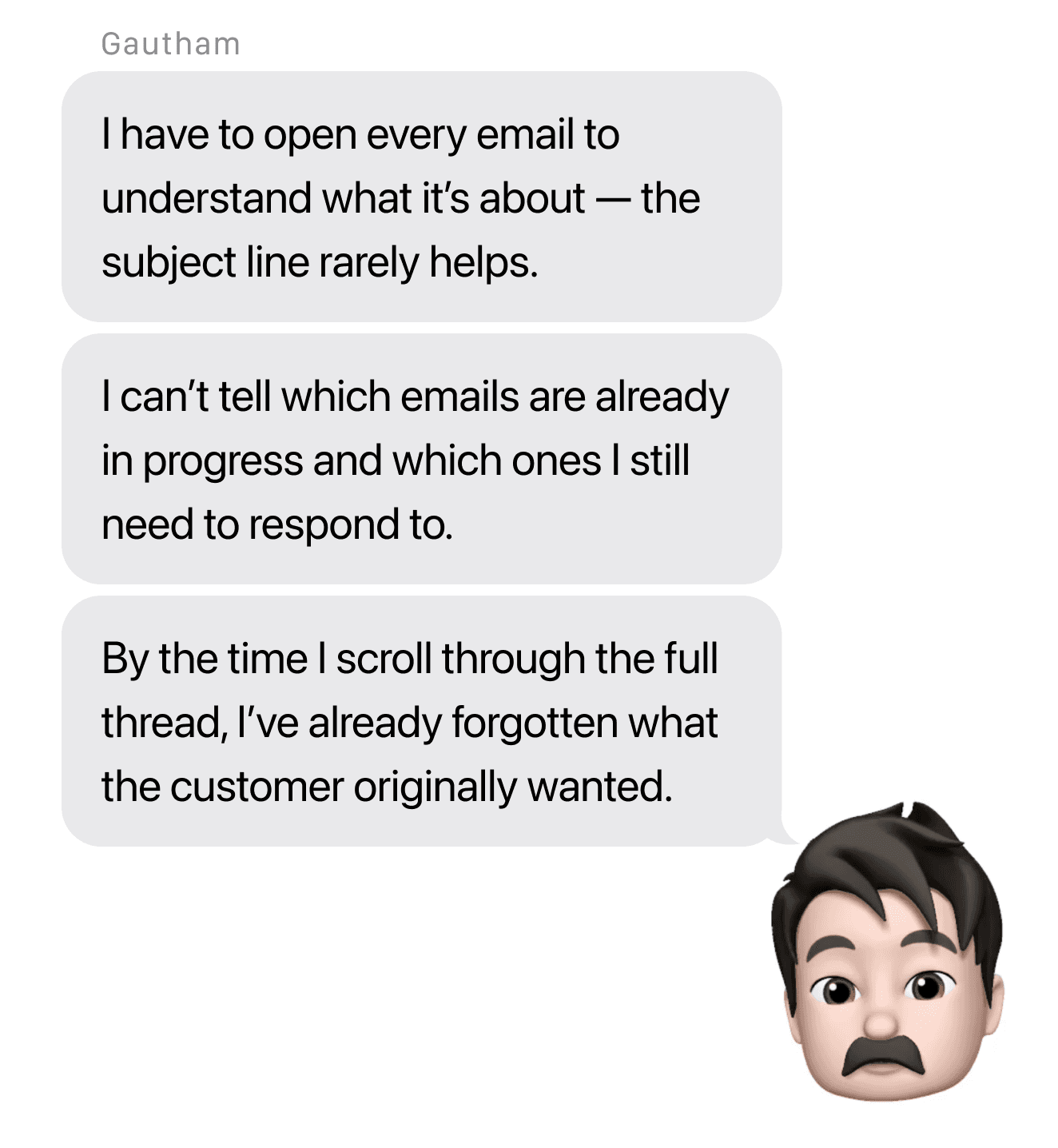
Long email threads that hide context
No clear visibility into issue status
Manual effort to understand what the customer wants
Repetitive replies for common problems
Switching between inboxes and internal tools
Long email threads that hide context
No clear visibility into issue status
Manual effort to understand what the customer wants
Repetitive replies for common problems
Switching between inboxes and internal tools


How might we design an email experience that helps agents move from reading emails to resolving issues faster?
USERS
Primary users
Primary users
Customer support agent / operations team member
Handles 50–100 emails daily
Works under time pressure and SLAs
Not highly tech-savvy
Secondary users
Secondary users
Team leads monitoring issue progress
KEY INSIGHTS
During analysis, it became clear that:
🧩
One email = one problem to resolve
🗂️
Agents mentally categorize emails as new, in progress, or waiting
🔍
The real work happens after opening the email, not inside the inbox list
This led to a shift from an email-centric to an issue-centric model
SOLUTION OVERVIEW
SOLUTION OVERVIEW
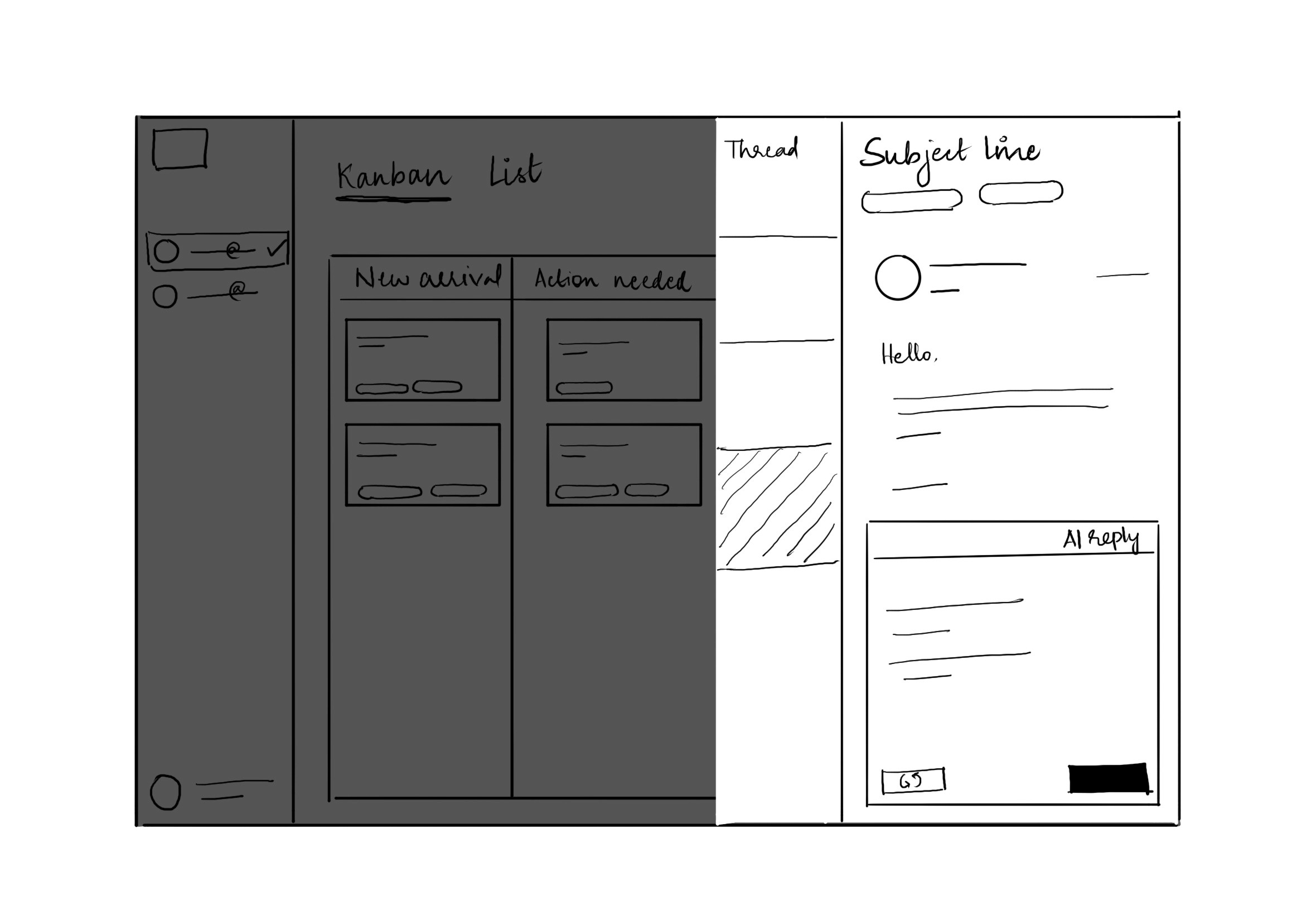
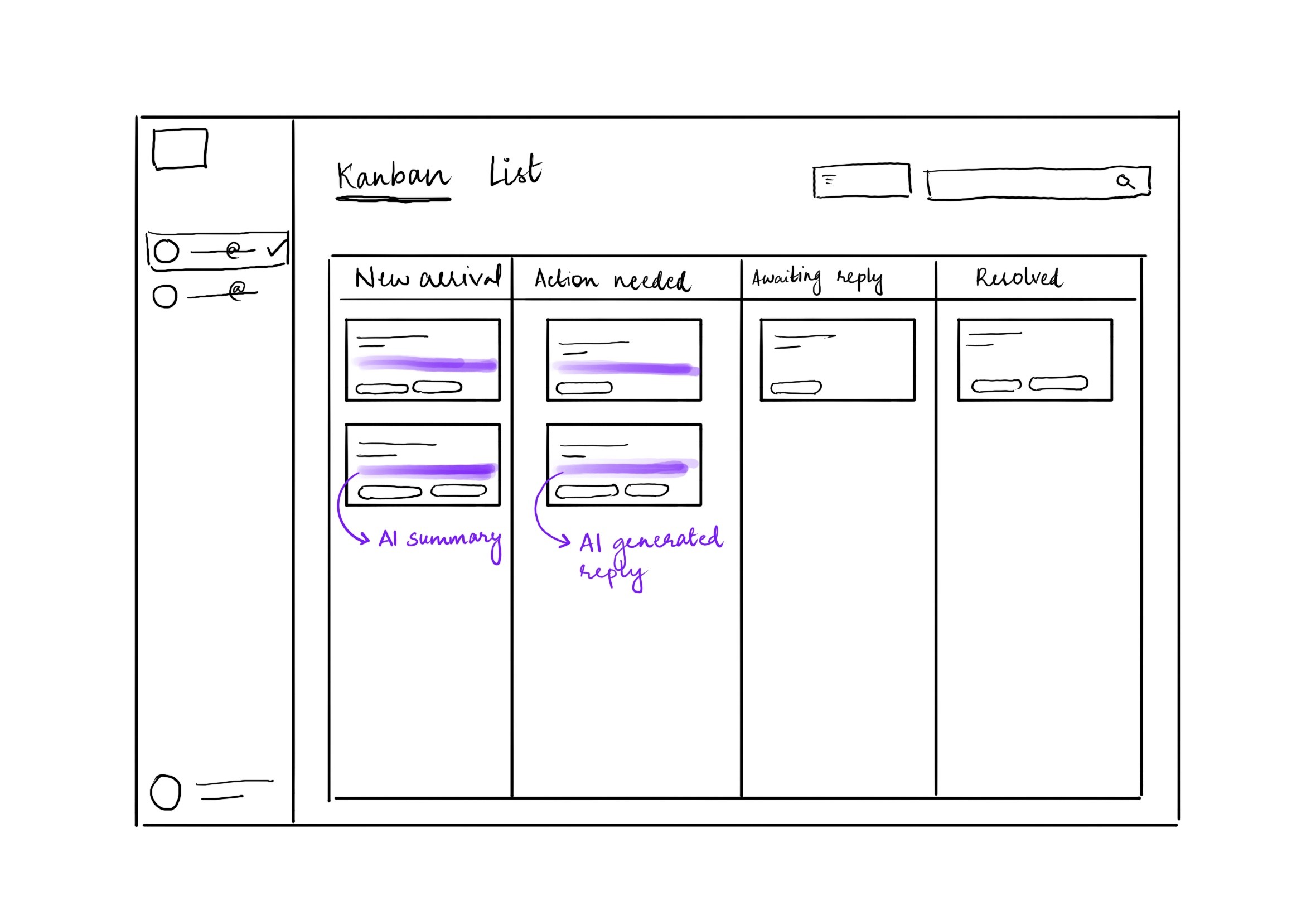
The solution introduces a Kanban-based email workflow with a threaded conversation view, supported by AI summaries and reply suggestions.
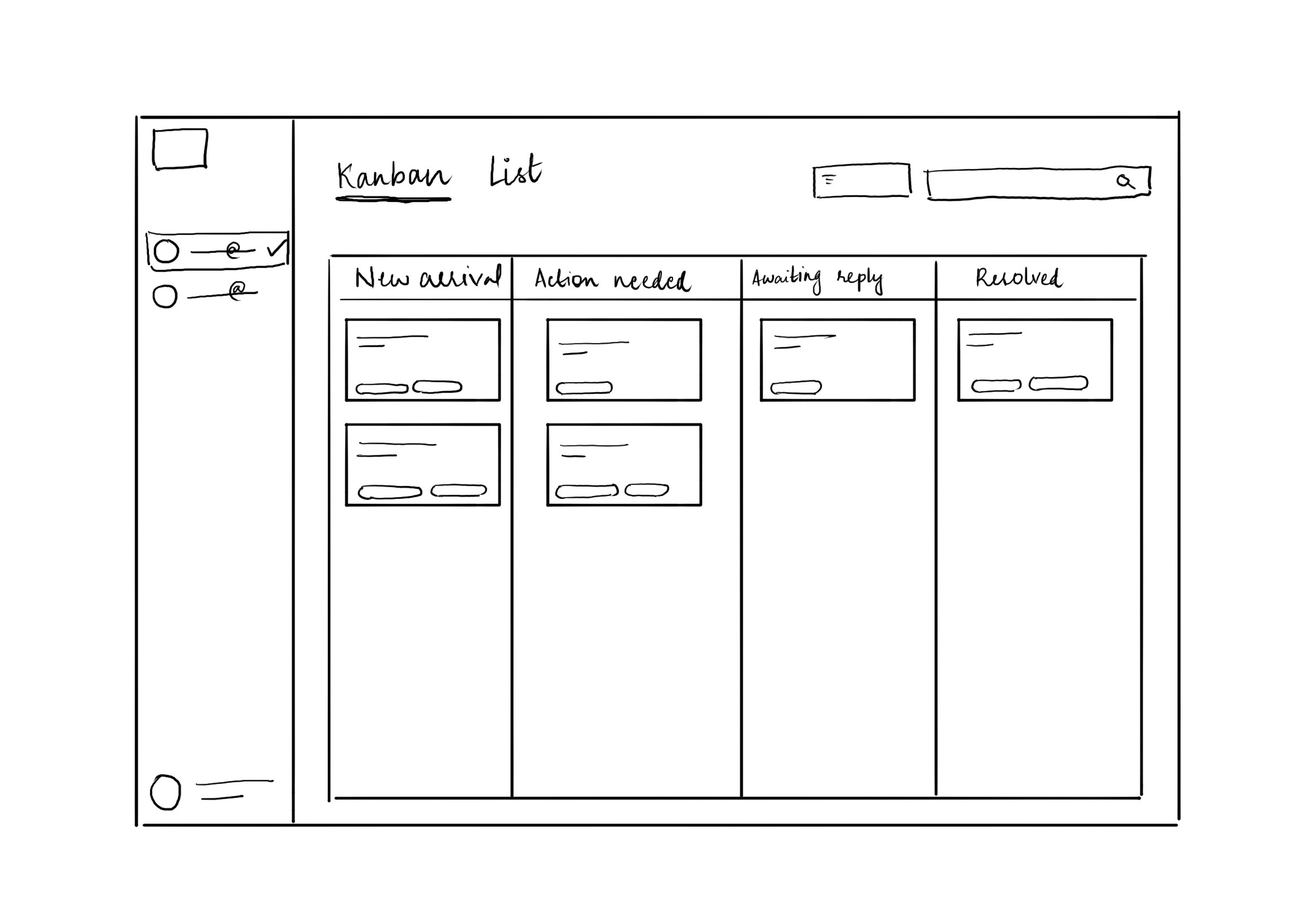
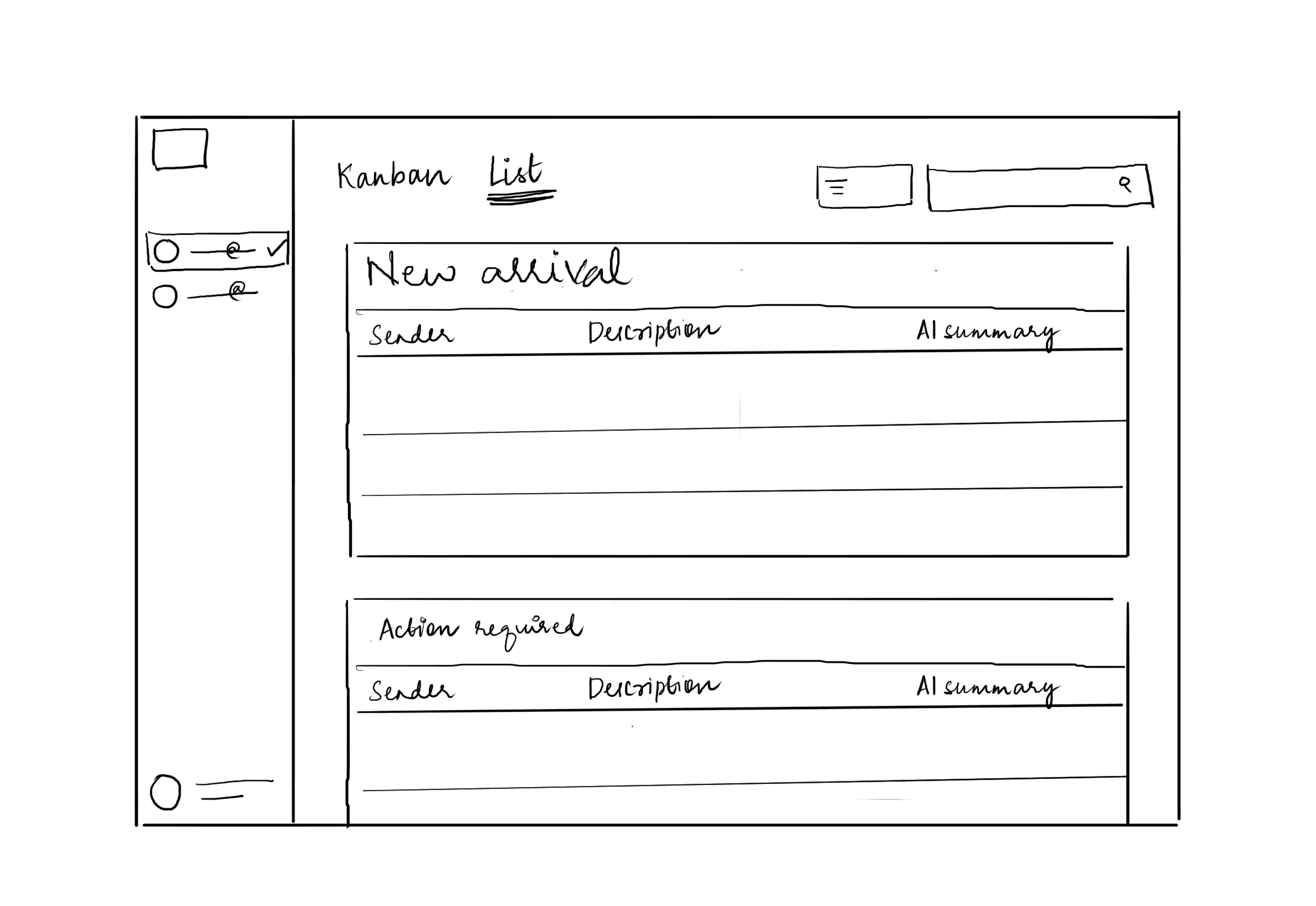
Kanban view
For active issue management
List view
For traditional inbox scanning
Thread view
For deep context and resolution
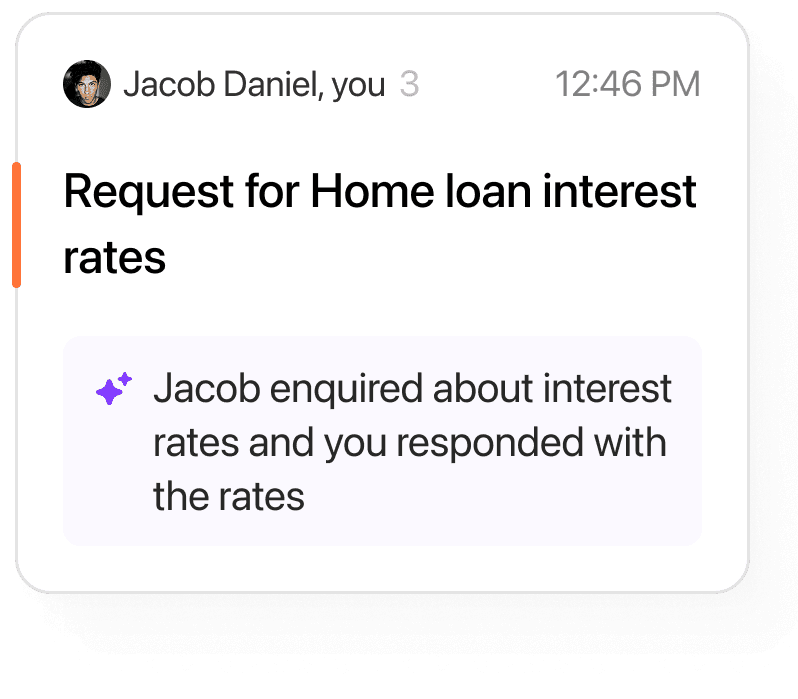
AI layer
For summarization and reply assistance

Kanban view
For active issue management

List view
For traditional inbox scanning

Thread view
For deep context and resolution

AI layer
For summarization and reply assistance

Kanban view
For active issue management
List view
For traditional inbox scanning
Thread view
For deep context and resolution
AI layer
For summarization and reply assistance

INTERFACE
INTERFACE
Emails are displayed as cards across columns such as:
New
In progress
Waiting on customer
Resolved
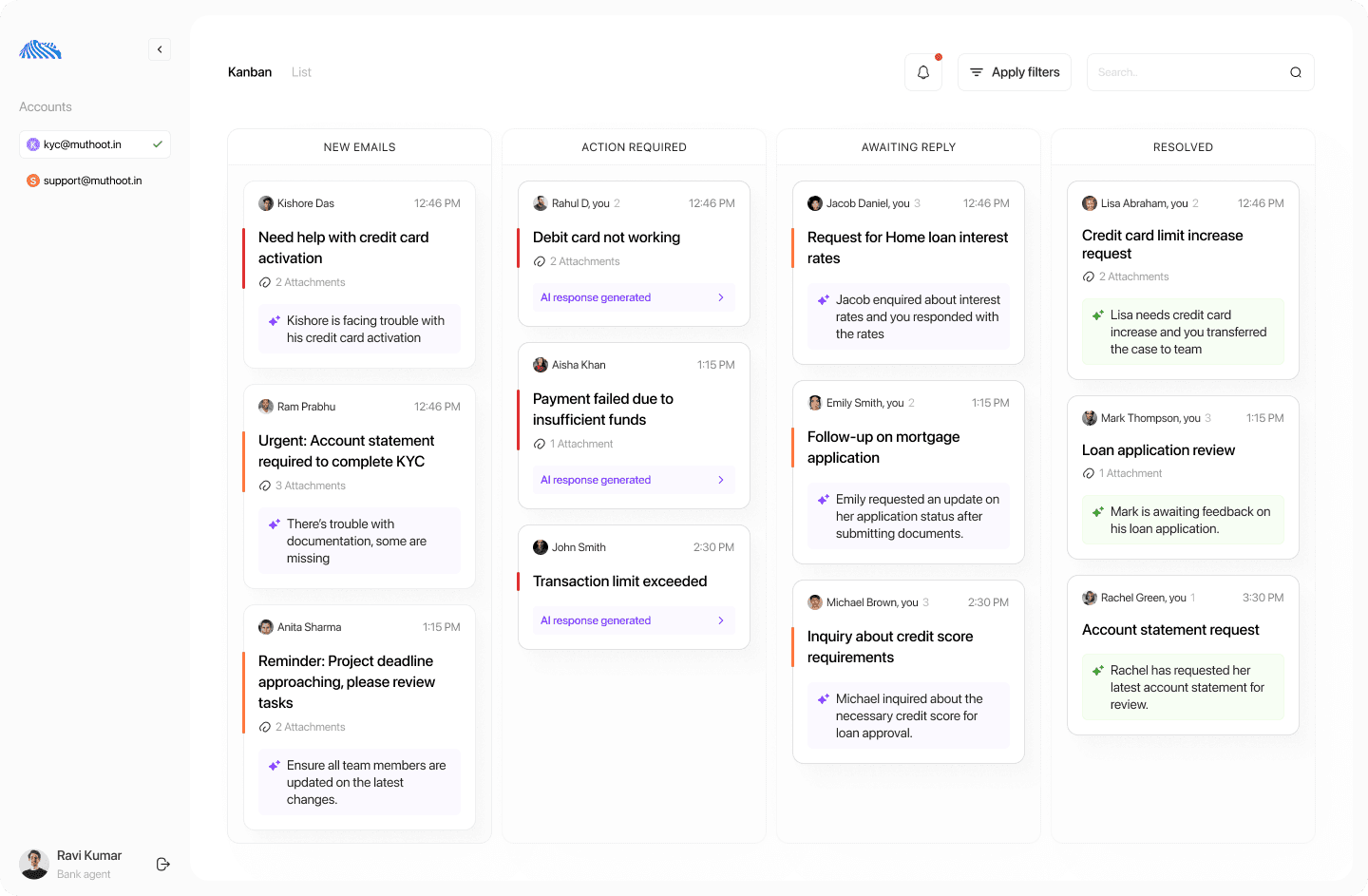
Emails are displayed as cards across columns such as:
New
In progress
Waiting on customer
Resolved


Matches how agents already think about work
Makes status visible without opening emails
Reduces reliance on memory and manual tracking
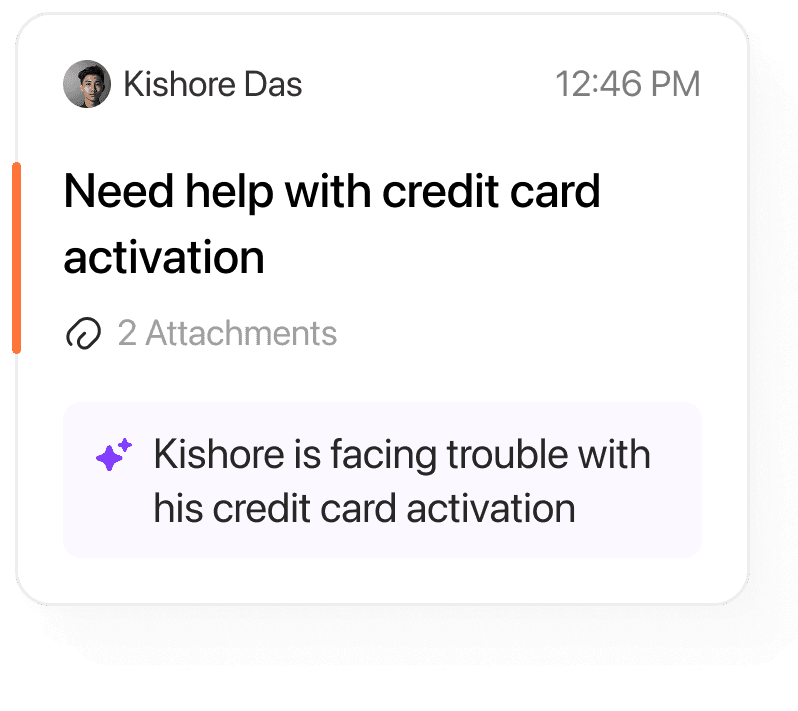
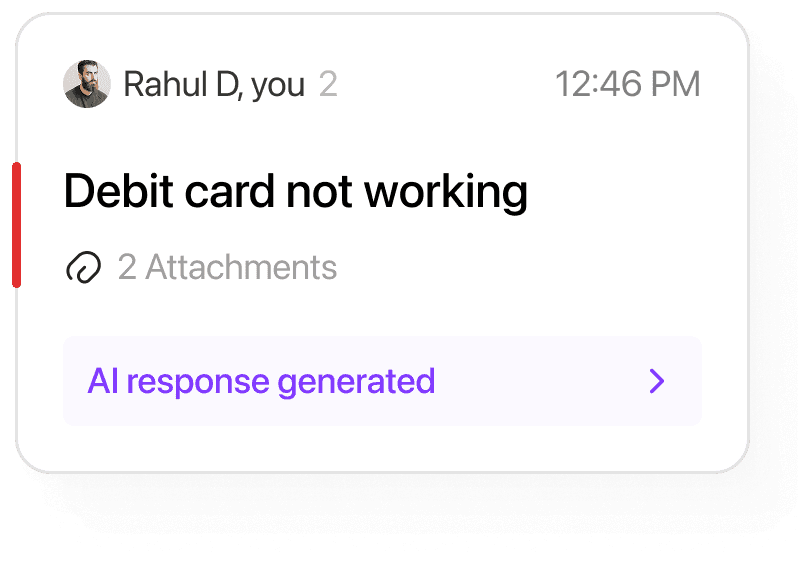
Cards
Cards


For users who prefer a classic inbox:
Emails appear in a structured list
Includes priority indicators and summaries
Acts as a low-learning-curve entry point
This ensured adoption without forcing a new mental model immediately.
For users who prefer a classic inbox:
Emails appear in a structured list
Includes priority indicators and summaries
Acts as a low-learning-curve entry point
This ensured adoption without forcing a new mental model immediately.


For users who prefer a classic inbox:
Emails appear in a structured list
Includes priority indicators and summaries
Acts as a low-learning-curve entry point
This ensured adoption without forcing a new mental model immediately.
For users who prefer a classic inbox:
Emails appear in a structured list
Includes priority indicators and summaries
Acts as a low-learning-curve entry point
This ensured adoption without forcing a new mental model immediately.



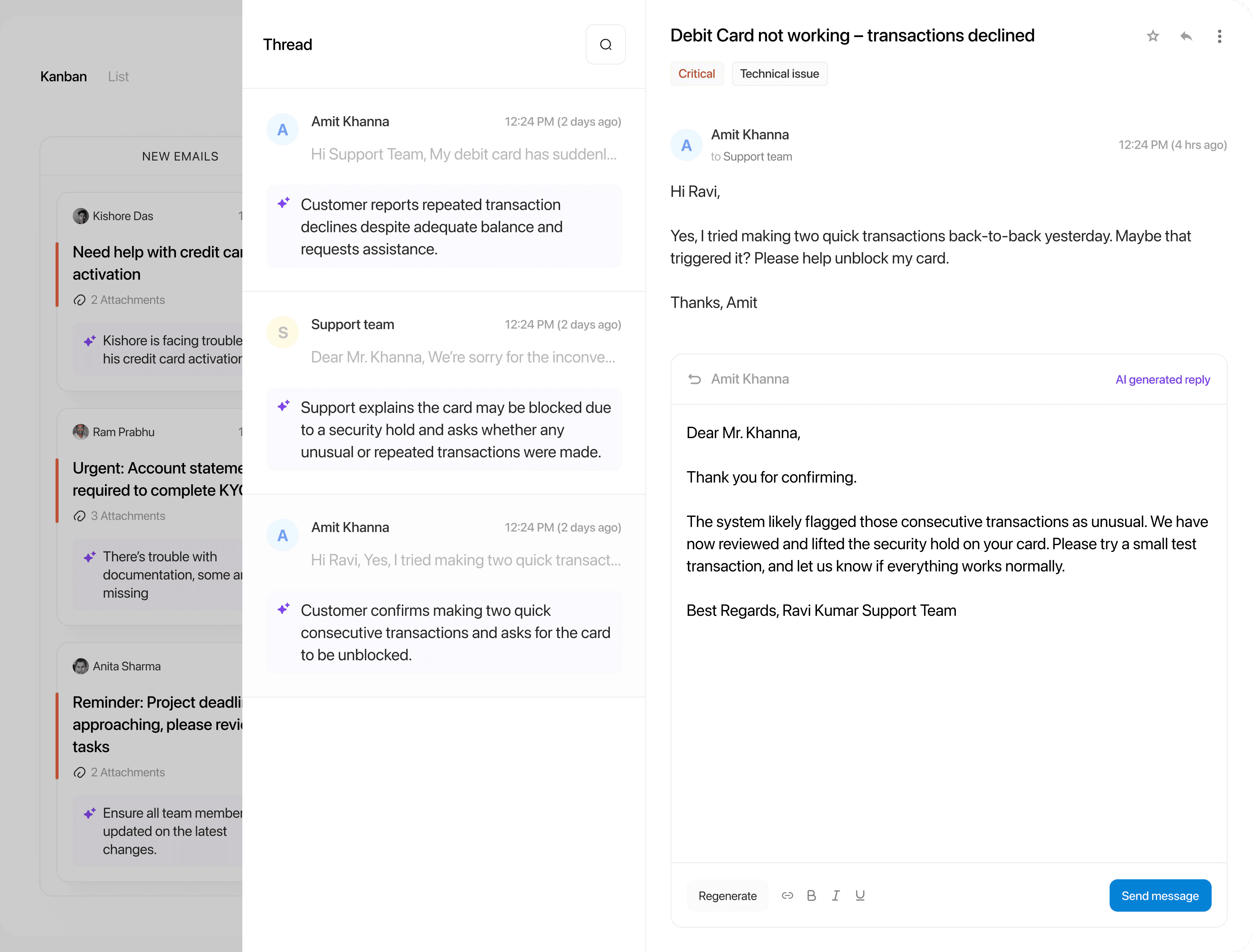
Agents spent time rereading messages just to get context.

Long email threads made it hard to quickly understand the issue.


AI summaries give instant context without scrolling.

Thread view makes conversations easier to follow and act on.
Small shifts in structure and context can significantly reduce effort in everyday, high-volume workflows.
Let's work together
Let's work together
Let's work together
I'm eager to know more about your work, let's talk.